
You don't need to overhaul your whole organization to benefit from Odoo AI. Here are 10 concrete automations, grouped by department, that you can activate one at a time, each with a direct, measurable time saving from week one.
New to Odoo AI? Start with our complete Odoo AI guide for the full picture before picking from this list.
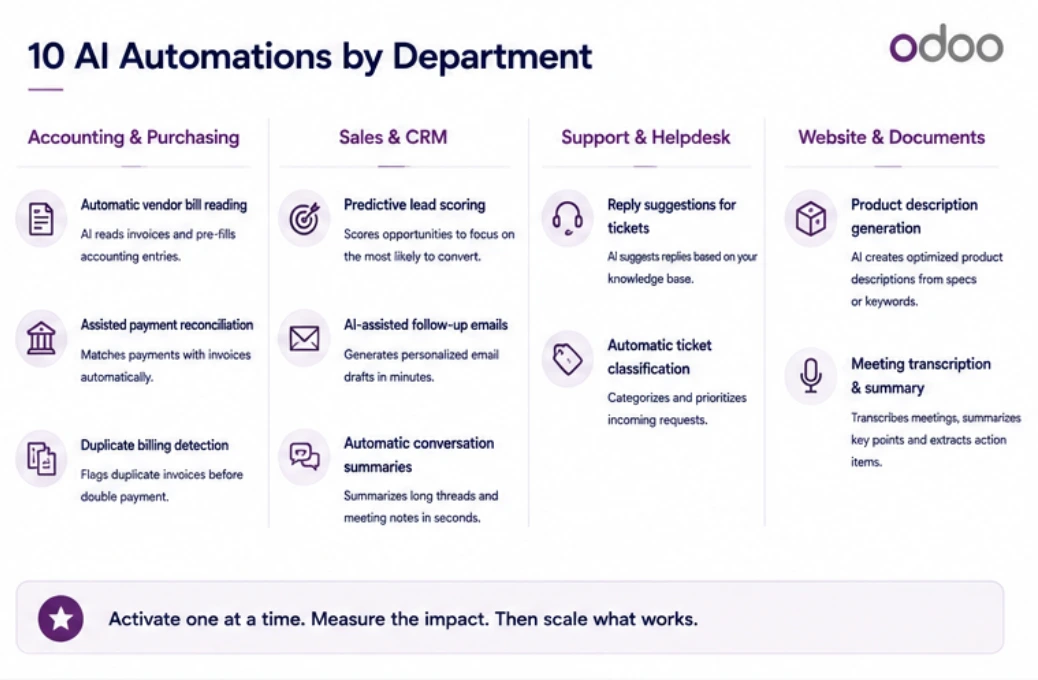
Accounting and Purchasing
Three automations that target the most repetitive finance tasks. For the full accounting workflow picture, see our Odoo AI accounting overview.
1. Automatic vendor bill reading
The most profitable of the ten. The AI reads your incoming invoices (PDF, scan, photo) and pre-fills the matching accounting entry, vendor, amount, VAT, due date. You review and confirm, instead of re-typing everything. See our deep-dive on vendor bill OCR for setup details and reliability tips.
2. Assisted payment reconciliation
Matching between your bank statements and pending invoices is suggested automatically, even when the bank label doesn't exactly match the vendor name.
3. Duplicate billing detection
An invoice already recorded, received a second time by mistake, can be automatically flagged before double payment, a classic risk when several people handle incoming vendor mail.
Sales and CRM
Three automations that change how your sales team prioritizes and follows up. Our Odoo AI in CRM guide covers scoring, email drafting, and adoption in detail.
4. Predictive lead scoring
Every opportunity gets a conversion probability based on your history of won deals, to prioritize the day's calls instead of guessing.
5. AI-assisted follow-up emails
A first draft of a personalized email is generated from the customer record's context, which the rep adjusts in a few minutes.
6. Automatic customer conversation summaries
The history of a long email thread or meeting notes can be summarized in a few lines, useful before a follow-up call or when handing off a file between colleagues.
Customer Support and Helpdesk
7. Reply suggestions for recurring tickets
For requests that come up regularly, the AI suggests a reply based on your knowledge base and the history of similar tickets already resolved.
8. Automatic classification of incoming tickets
Every new request can be categorized and prioritized automatically, instead of waiting for a manual sort by a support agent.
Website and eCommerce
9. Product description generation
From a spec sheet or a few keywords, the AI proposes a web-optimized product description, to adjust rather than write from scratch for every reference.
Documents and Meetings
10. Automatic meeting transcription and summary
Your conversations can be recorded, transcribed, and summarized automatically, with action items extracted, no more manual note-taking while you're supposed to be participating in the discussion.
How to choose where to start
These 10 automations don't all carry the same complexity or the same impact depending on your business. To prioritize:
- Start with the most repetitive, easiest-to-measure task, in most cases, automatic vendor bill reading (#1) or CRM scoring (#4).
- Avoid activating more than 2–3 automations at once when you start, so you can measure each one's impact separately.
- Involve the relevant users before activation, not after, their buy-in determines whether the automation is actually used or worked around.
For the step-by-step activation method, see our Odoo AI activation guide.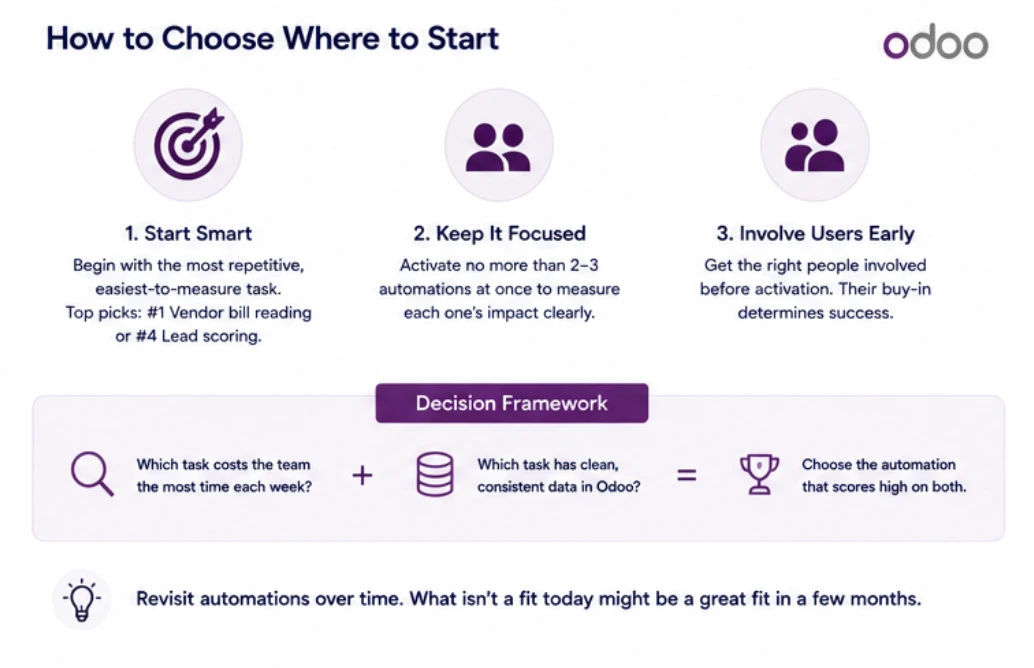
A simple framework for deciding what's next
Once your first automation is running smoothly, use two questions to decide what to activate next: which remaining task costs the team the most collective time each week, and which one has the cleanest, most consistent data already available in Odoo. Prioritize whichever automation scores well on both, rather than the one that sounds the most impressive to activate.
It's also worth revisiting automations you decided to skip earlier. A task that wasn't a good fit when your CRM history was thin, for example, might become a strong candidate for scoring a few months later once more data has accumulated.
Frequently Asked Questions
No, it's recommended to start with 1 to 3 targeted automations, measure the gain, then expand gradually.
Most of them activate directly in the relevant module's settings, no code required. Some more advanced automations can benefit from support during initial setup.
These native AI features are reserved for the Enterprise edition. Some also depend on the modules already installed on your instance (CRM, Helpdesk, eCommerce, etc.).
For most SMBs, automatic vendor bill reading offers the fastest, easiest-to-prove gain, since the manual process it replaces is universal and time-consuming.
Set a simple metric before activation (processing time, conversion rate, response time) and compare over 3 to 4 weeks of real use.
Want to identify the 2 or 3 automations that would have the most impact for your specific business? Dasolo runs a quick diagnostic of your current processes and proposes a prioritized activation plan. Book your diagnostic →